
I Gave My Bots Their Own Google Account
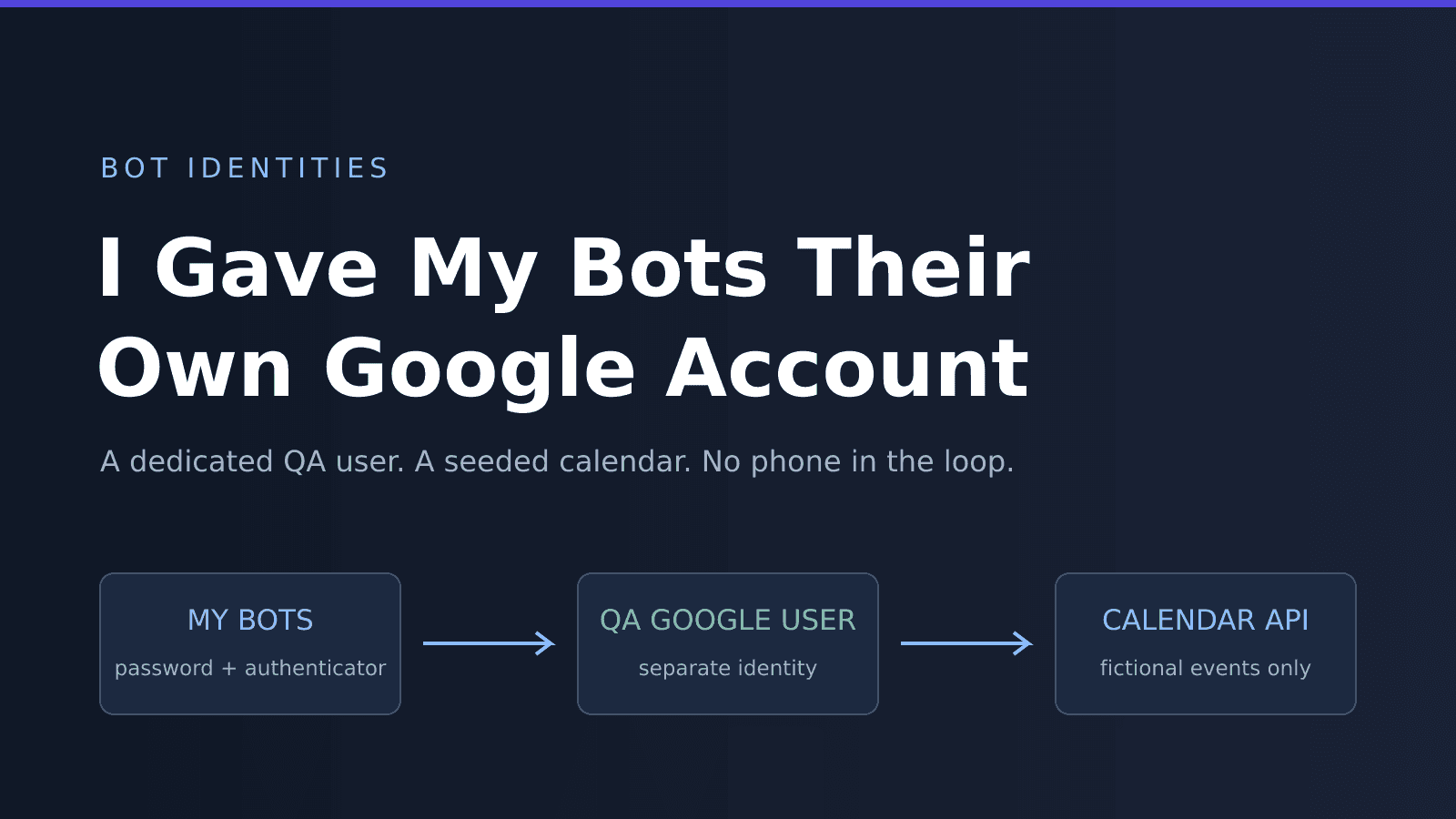
When I started letting bots test my demos, I missed one thing: every time a bot clicked Connect Google, it connected my Google.
My real calendar showed up in screen recordings. My inbox was one scope away. And every so often my phone got a 2FA prompt for a sign-in I didn't start. I literally tell people to be suspicious of those 😅
My bots are Devin sessions, and they use Devin's Computer Use to drive a real browser: clicking buttons, typing into sign-in forms, and taking screenshots along the way. So today I gave them their own Google account. It took about 25 minutes, and most of that was Devin waiting on me.
The Use Case
The demo is a Token Vault sample I've been building. You sign in, ask the assistant something like "What's on my calendar this week?", and it walks you through Google consent so it can call the Calendar API on your behalf.
To test that flow like a real user, a bot needs to:
- Sign in to Google, including the second factor.
- Get through the OAuth consent screen for my Google Cloud project.
- See a calendar with something on it, so there's an answer to check.
None of that should need my account, my phone, or my calendar.
Gmail or Workspace?
A consumer @gmail.com account is free and works fine as an OAuth test user. But Google often asks new consumer accounts to verify a phone number, and it's wary of logins that look automated. A bot signs in from a fresh browser every time, so it would get stopped a lot.
A Google Workspace user on a domain I already own (focusotter.com) needs a Business Starter license, $8.40/month for me. In exchange, I'm the admin. I create the user, set the password, and choose how it does 2-Step Verification.
I went with Workspace. If you don't have a Workspace domain and only test by hand now and then, a Gmail account is still a fine choice. A bot signing in every day is what made me pay.
How It Fits Together
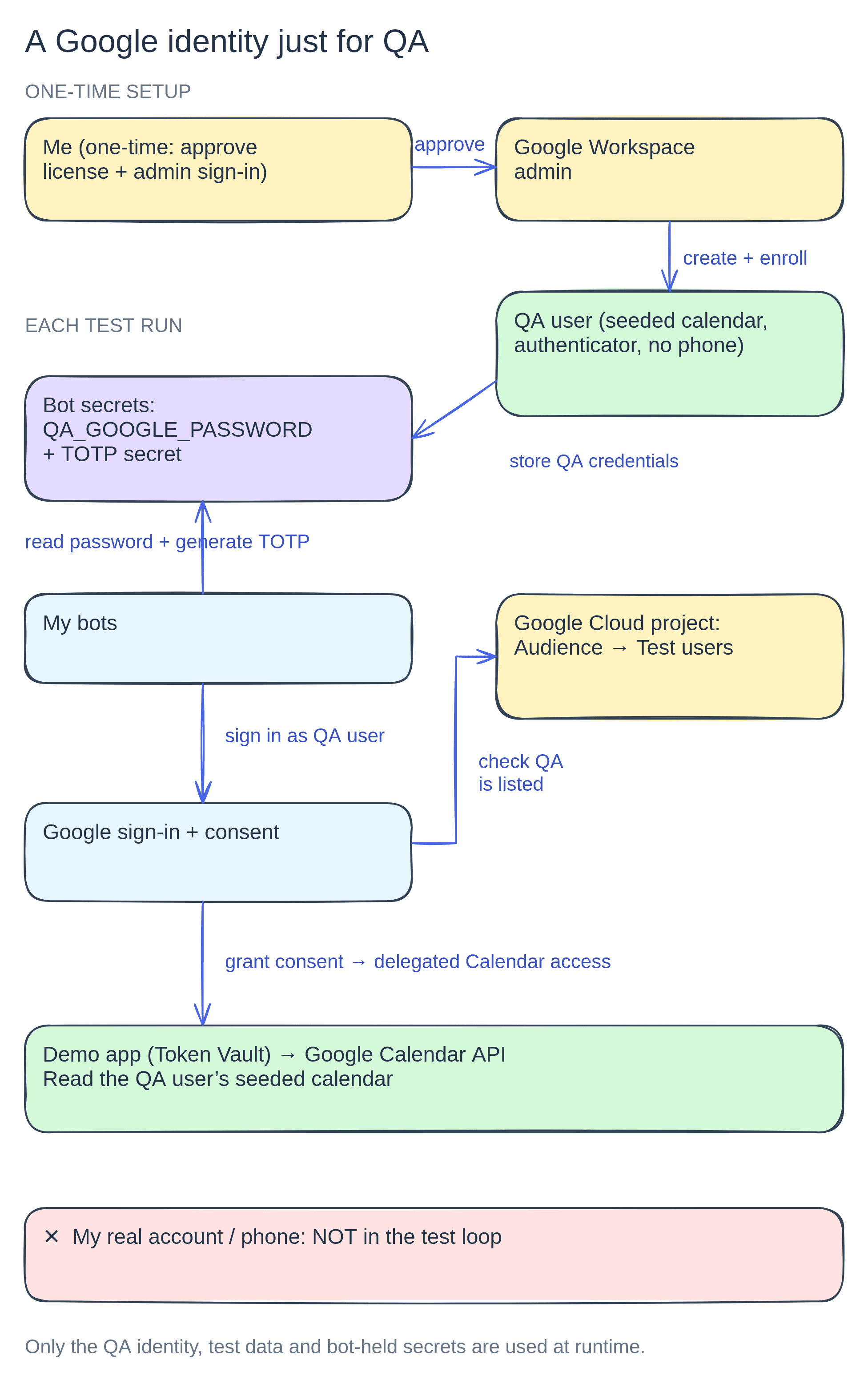
- The QA user lives in my Workspace, with a seeded calendar and an authenticator app instead of a phone number.
- The Google Cloud project lists that user as a test user, so the consent screen lets it through while the app is in testing.
- My bots store the password and the authenticator secret as secrets, so they can sign in without asking me.
I only show up in the first box: approving the license and signing in as admin.
Step 1: Create the User
In the Google Admin console, I added a user called QA Tester with an address like qa-tester@yourdomain.com. I also turned off "ask user to change their password at next sign-in," since no person will ever sign in to change it.
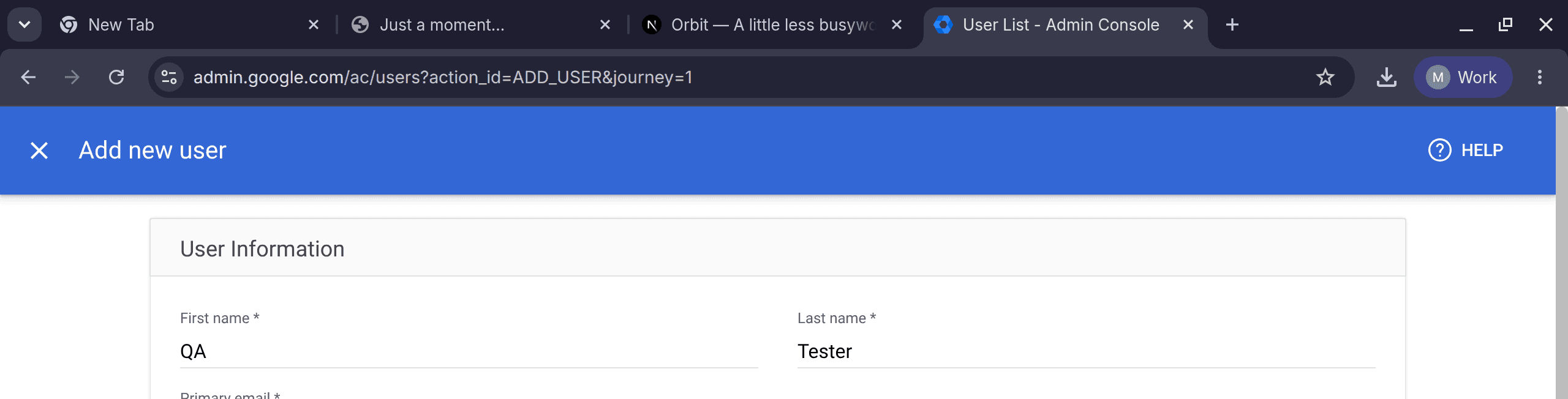
The bot stopped and asked me twice here. I wanted it to both times.
- Admin re-authentication. Google asked the admin account to re-enter its password before adding a user. That's my password, so I typed it into the bot's browser myself.
- The license confirmation. Adding a user assigns a paid license. The bot asked me before taking on a monthly cost. I'd rather approve an $8.40 line item than find it on a bill.
Step 2: Trade the Phone for an Authenticator
The first sign-in as the new user asked for a verification code, sent by text to my phone. Getting my phone out of the loop was the whole point, so the next step was enrolling an authenticator app and removing the phone number from the account.
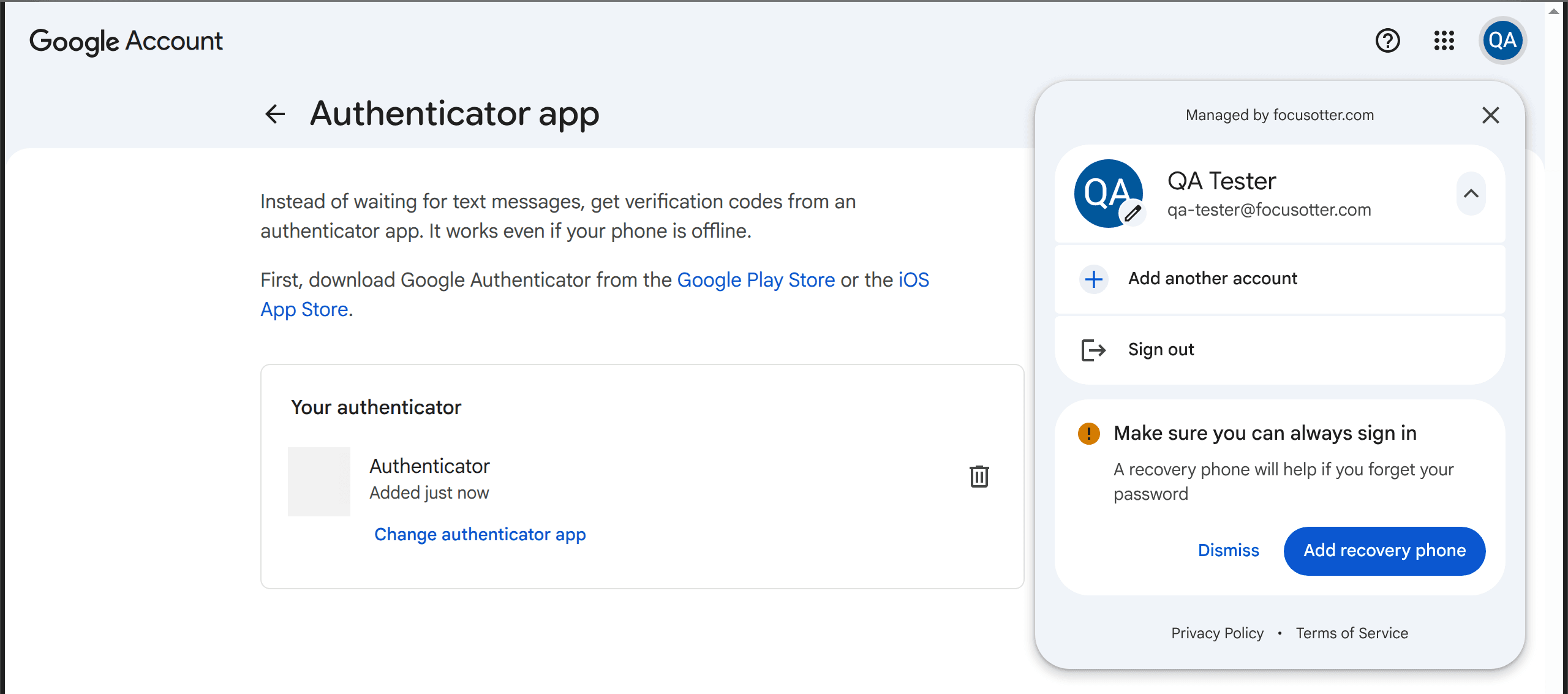
When you set up an authenticator, Google shows a QR code. Under Can't scan it? it also shows the secret as text. Saved as an otpauth:// URI, that secret lets a bot generate the same 6-digit codes your phone would:
// totp.mjs (Node 20+)
// npm install otpauth
import * as OTPAuth from 'otpauth'

// e.g. otpauth://totp/Google:qa-tester@yourdomain.com?secret=...&issuer=Google
const totp = OTPAuth.URI.parse(process.env.QA_GOOGLE_TOTP_URI)

console.log(totp.generate()) // → a 6-digit code, e.g. "492039"
QA_GOOGLE_TOTP_URI="otpauth://..." node totp.mjs
URI.parse reads the issuer, account name, and secret from the URI. The library defaults (SHA-1, 6 digits, 30 seconds) match Google's, so there's nothing else to set.
Keep in mind that the authenticator secret is the second factor. Anyone with it and the password can sign in as the QA user. I'm fine with that for an account that only holds five fake meetings. It's also why this is a separate account instead of mine. Keep both values in a secret store, never in the repo, and never print them in logs or screenshots.
Step 3: Add It as an OAuth Test User
While a Google Cloud app's consent screen is in Testing, only listed test users can get through it. In the Cloud console, the list is under Google Auth Platform → Audience → Test users.
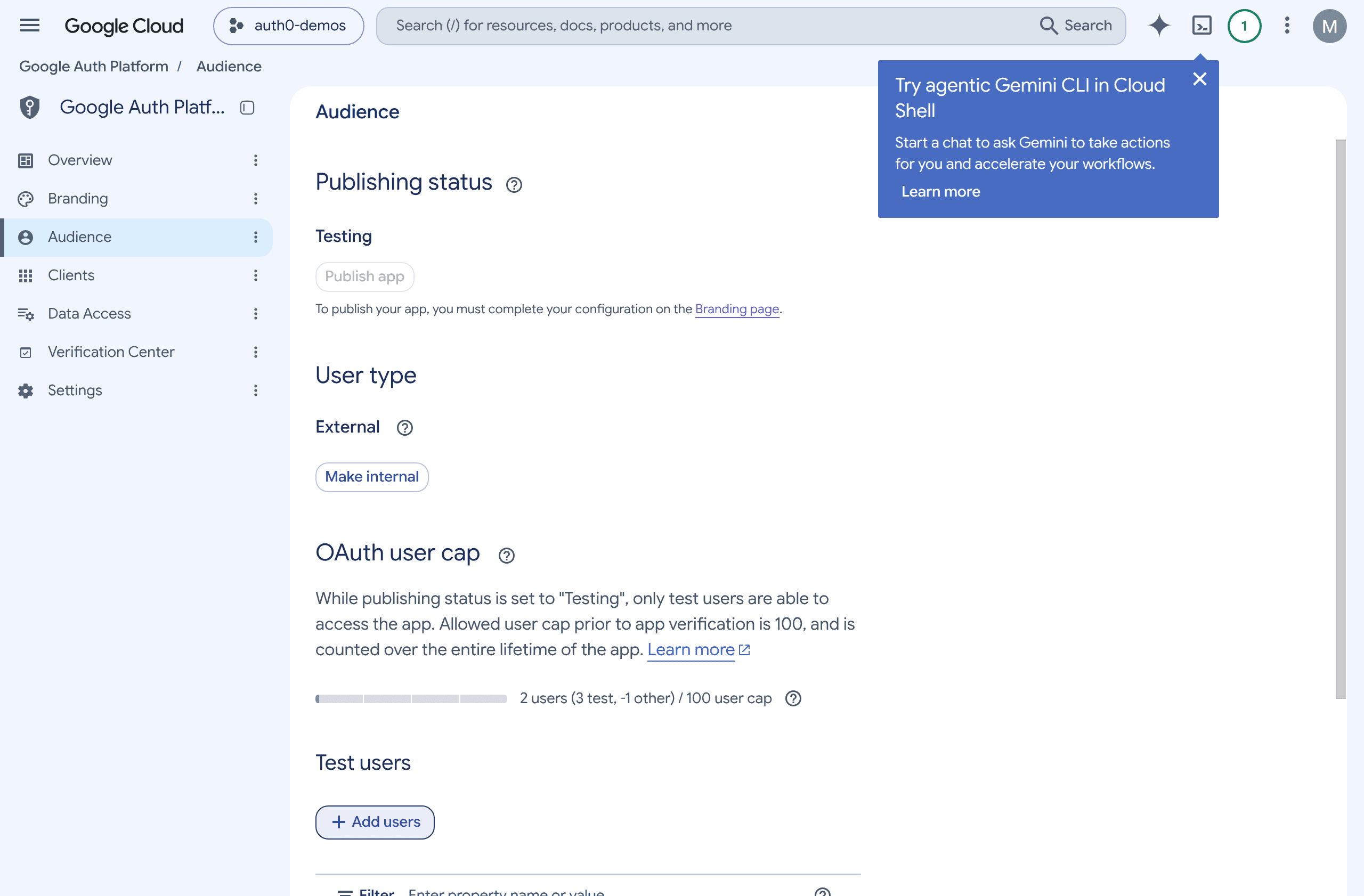
I added the QA user there and left the publishing status alone. Two of my demos share that Google Cloud project: the Token Vault sample and a CIBA email app. One entry covered both.
🗒️ Google issues refresh tokens that expire after 7 days for external apps in Testing status. A bot that runs consent on every test won't notice. A test session that needs to last for weeks won't work.
Step 4: Give the Calendar Something to Say
An empty calendar makes a bad test: "you have nothing scheduled" looks the same whether the integration works or not.
So the QA user got five made-up events across the week: a standup, a customer demo with a fake company, a 1:1, a lunch, and sprint planning, with fictional guests only. The smoke test signed in as the QA user, asked "What's on my calendar this week?", went through Connect Google, and checked that all five titles came back.
They did 🎉
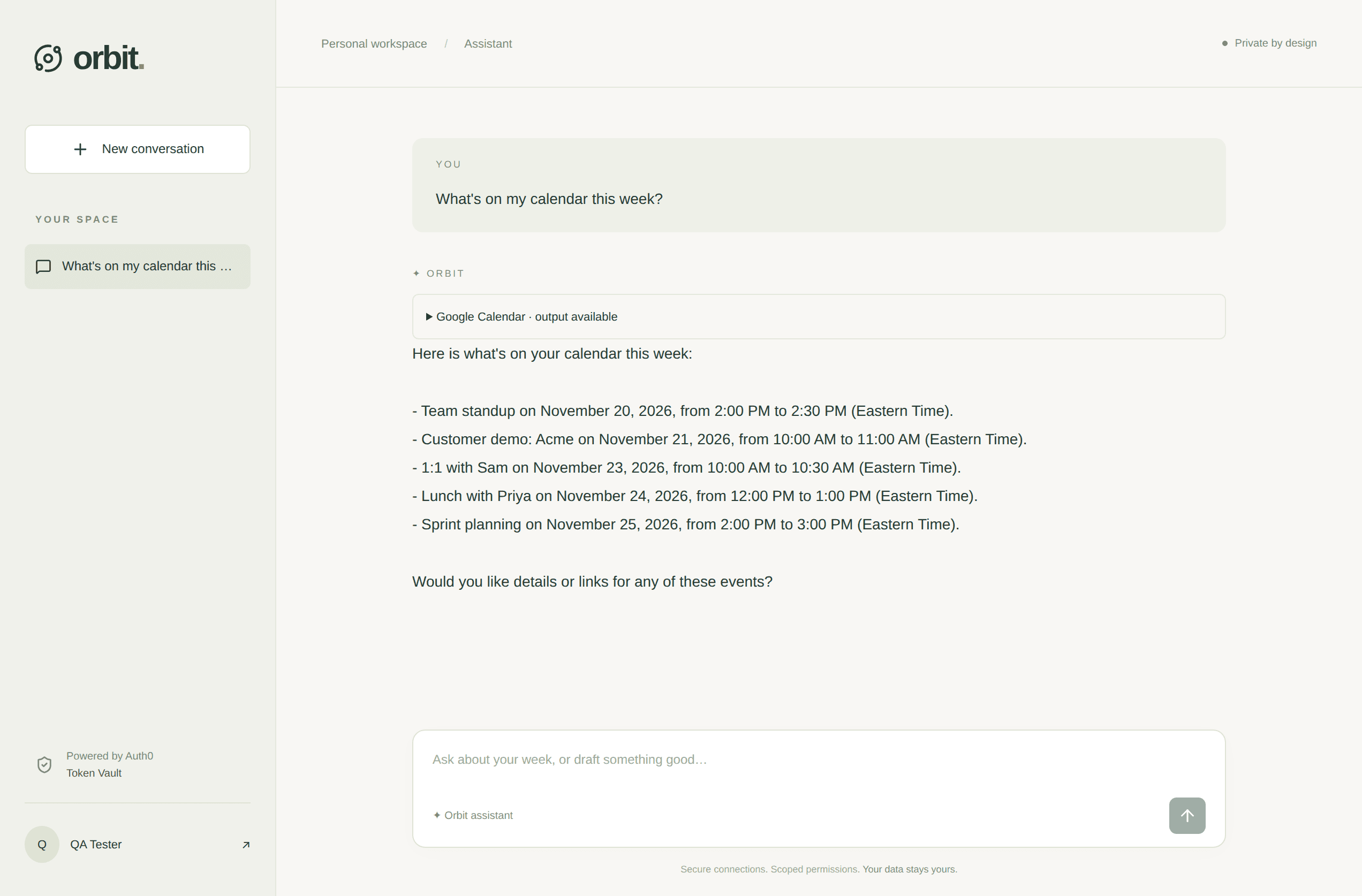
The Same User in a Second Demo
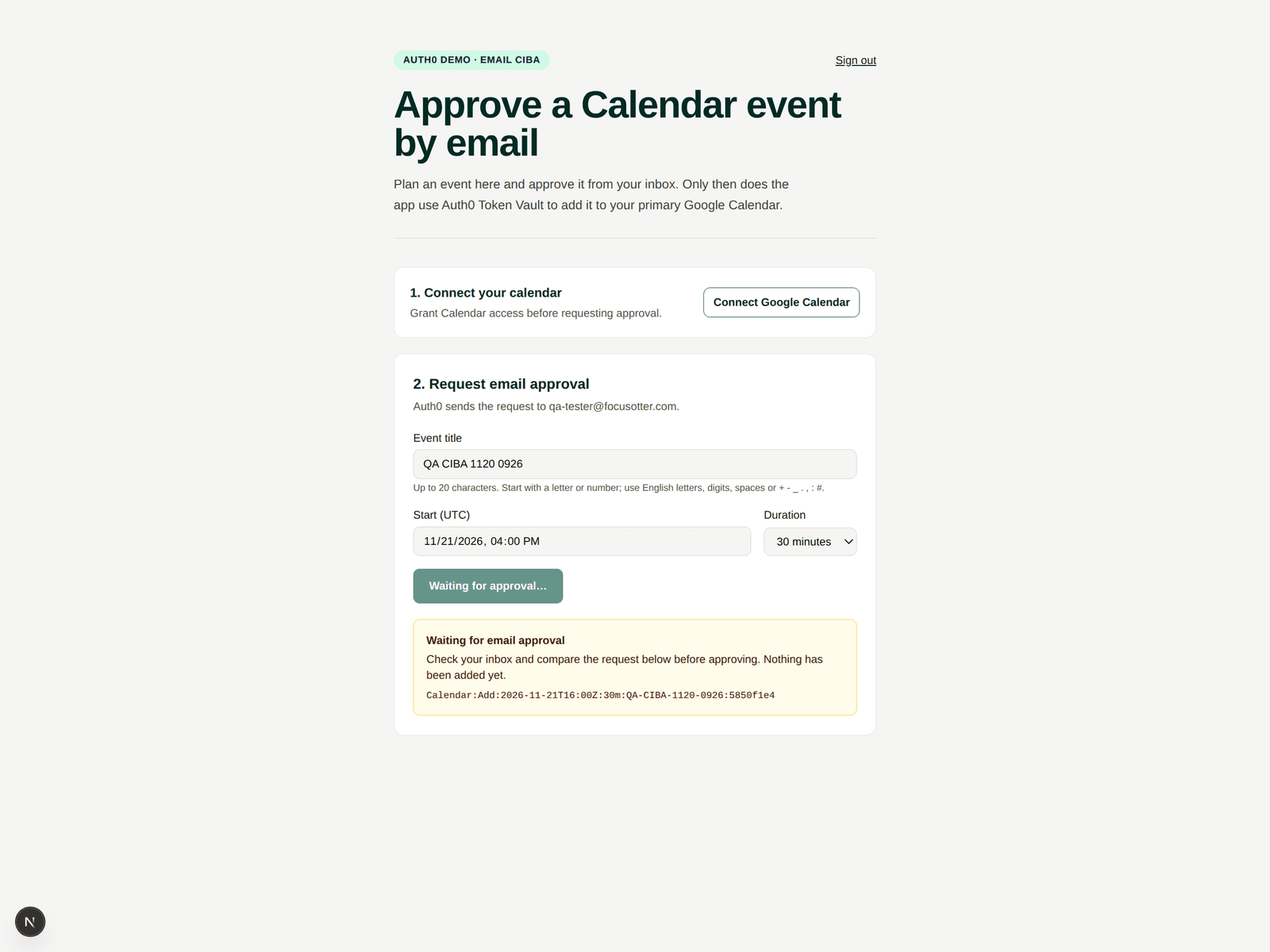
Because the CIBA email app (CIBA docs) uses the same Google Cloud project, a bot tested it with the same QA user an hour later. In that demo you plan a calendar event, approve it from your inbox, and only then does the app add it to your Google Calendar through Token Vault.
The app sends the approval request to the QA user, not to me:
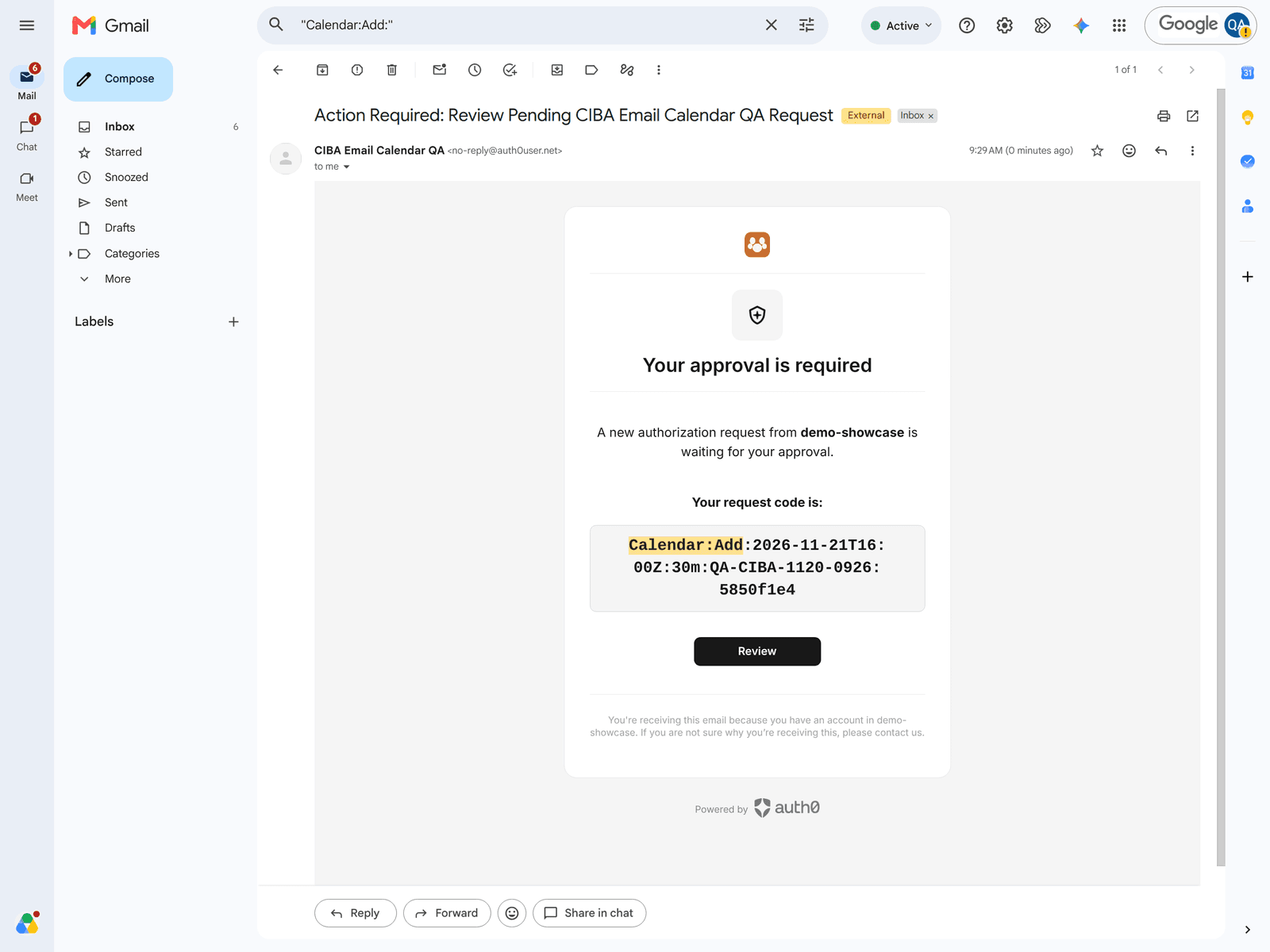
The approval email lands in the QA user's Gmail inbox, with the same request code the app shows:
After approval, the event shows up on the QA Tester calendar:
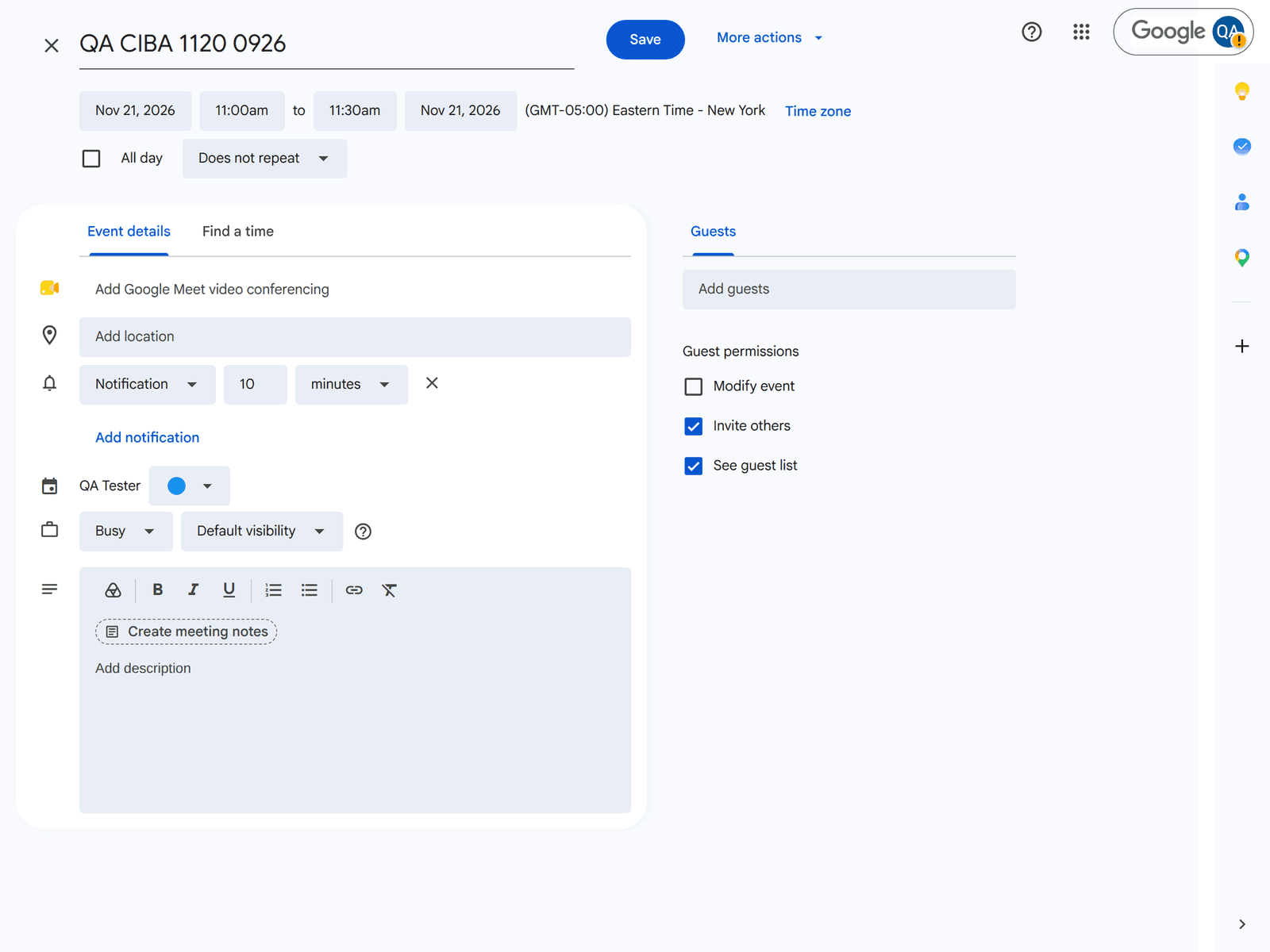
None of those three screens touched my inbox or my calendar.
What Still Needed Me
The bot did most of the work: creating the user, enrolling the authenticator, adding the test user, seeding the calendar, running the smoke test, and writing a setup note in my docs.
It couldn't do three things:
- My admin password. A bot shouldn't have it.
- Spending money. I want to approve recurring costs myself.
- The first SMS code. Annoying, but it only happened once. After the authenticator was enrolled, my phone was out of the loop.
What Comes Next
Right now every bot shares one QA user. That works until two bots run Google tests at the same time and edit the same calendar. Next I'll probably give each bot its own test user, or seed fresh events at the start of each run so a test never depends on what the last one left behind.
If you enjoyed this post, I'd love to hear from you. Please reach out on X or LinkedIn. And if you've found a cleaner way to give bots a Google identity, tell me about it.
Until next time, Happy Building 🦦